
If you’re trying to get an accurate reading of your battery’s voltage or current, you might wonder whether a multimeter or a battery monitor is better.
A multimeter provides a precise snapshot of voltage at the terminals.
A battery monitor offers continuous tracking of charge and energy flow.
Knowing which tool gives you the true picture depends on what aspect you need to measure most.
Below, we’ll explore how each device performs for voltage and current accuracy.
Multimeter vs Battery Monitor: Which Reads Voltage More Accurately?
A multimeter generally provides more accurate voltage readings than a typical battery monitor, especially for single measurements. While both tools can be precise, a high-quality multimeter set to the correct range often surpasses the calibration accuracy and resolution of most monitors, sometimes down to microvolts. This makes it ideal for spot checks where maximum precision matters. For users who also need to power devices while monitoring, a portable solar panel with plug socket offers a practical way to run equipment during testing sessions. Selecting high-quality battery terminals ensures a stable connection that minimizes resistance and improves measurement accuracy.
Battery monitors are designed for continuous, system-wide monitoring rather than pinpoint accuracy. Their readings can be affected by temperature variations, which can widen the error margin from ±5 millivolts to ±10 millivolts or more, reducing reliability at the cell level. Additionally, their accuracy depends on shunt resistance and sense wiring, both of which can introduce calibration errors.
For quick, single measurements, using a multimeter ensures you get a trusted, precise voltage reading. Conversely, if your goal is ongoing data on battery health over time, a dedicated battery monitor offers stable, filtered data suitable for system management. For those seeking the highest reading precision, a battery isolator will not improve voltage accuracy but rather isolates charging circuits. Ultimately, matching the tool to your specific need will ensure the most accurate voltage readings.
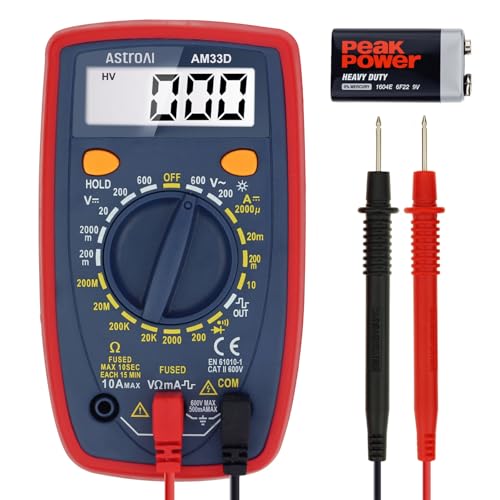
Additional Tips - The following incorrect operations may cause the multimeter not to show results: Firstly, the plugs of test leads are not fully inserted or not inserted into the correct sockets. Secondly, the manual rotary switch is not placed in the correct position. In addition, this meter can not test all AC Current and below 100mV AC Voltage. Please check the user manual carefully before measurement.
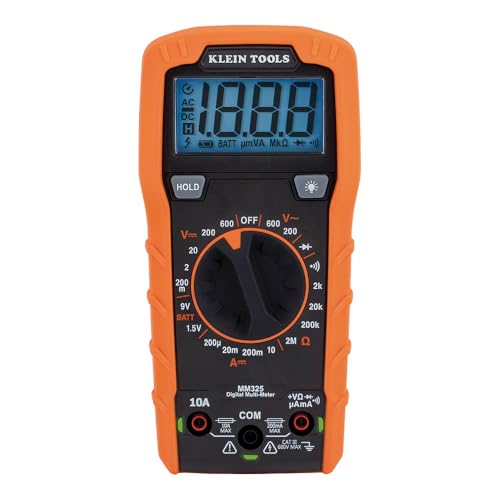
VERSATILE FUNCTIONALITY: Measures AC/DC voltage up to 600V, 10A DC current, 2MΩ resistance; additional features include continuity, diode test and battery test

Pro-Grade Safety & Protection: Engineered for peace of mind. The FS899L meets strict CAT.III 1000V and CAT.IV 600V safety standards, featuring dual ceramic fuses and full-range overload protection. Whether you're troubleshooting an industrial panel or a car battery, you’re shielded from surges and accidental shorts.
Why a Multimeter Beats a Battery Monitor for Voltage Checks
A multimeter provides a more accurate voltage check than a battery monitor because of its high input impedance, usually around 10 megaohms. This high impedance means it draws negligible current from the circuit, helping you measure the true open-circuit voltage without loading the source. As a result, you avoid the voltage drops and inaccuracies caused by circuit loading, which are common when testing weak sources like small batteries or sensor outputs. For optimal lithium battery maintenance, a top battery charger ensures consistent voltage levels and extends cell life. Compared to battery monitors, multimeters also avoid calibration discrepancies because they are designed for precise voltage measurement rather than estimating state of charge. They measure directly at the terminals, bypassing wiring resistance and shunt drops that can distort readings. This dedicated design ensures that your voltage check is both accurate and stable over time, giving you confidence in your measurement every time. For complex setups, choosing the right deep cycle battery for your dual battery system is just as critical as using the correct measuring tool. To maintain precise readings, pairing your multimeter with a high-quality solar charge controller prevents voltage drift from improper charging of lithium cells.

Versatility: ANENG multi meter is a highly adaptable electronic tool that can be used to measure a wide range of electrical properties, including AC/DC voltage, current, resistance,continuity,diode and Live wire.This makes it an essential tool for anyone working with electronics or electrical systems,also widely used by hobbyists, students, and professionals in various fields, including engineering, automotive repair, and electricians.

This high voltage probe operates at a maximum of 40,000V DC and 28,000V AC (50/60 Hz), making it essential for professionals engaged in electrical testing and repair tasks.

CAT III 600V Safety Rating: Ensuring your safety when working on electrical systems in common residential, commercial, and industrial settings.
Why Measuring Current With a Multimeter Is Tricky
Measuring current with a multimeter is tricky because you must insert the meter in series with the circuit, which requires breaking the circuit path. This entails disconnecting a wire or fuse and then connecting the meter in line. Any mistake in lead placement can easily create an open circuit or cause an unintended path, which can damage components or give false readings.
Additionally, the meter’s internal shunt resistor creates a burden voltage, which is a voltage drop across the meter. This drop reduces the voltage available to your load and can distort current readings, especially on low-voltage circuits where the drop might be 50 percent or more. To measure current accurately, you need to move the red lead to the correct current jack and select the right range before measuring. Choosing an incorrect range or jack can blow the fuse or damage the meter. Overall, measuring current is slower, more invasive, and more prone to error than measuring voltage.
What a Battery Monitor Tracks That a Multimeter Can’t
A battery monitor provides real-time state of charge (SOC) updates, a feature a multimeter cannot offer. Instead of relying on a single voltage reading, a monitor continuously tracks the amount of amp-hours drawn from and returned to your battery bank. This running percentage estimate accurately reflects how full or depleted your batteries are, helping you avoid unintentional deep discharges that can shorten their lifespan. Unlike a multimeter, a monitor measures the amount of energy consumed and replenished over time, offering continuous insight into your system’s usage. Additionally, a monitor records amp-hour accounting over time, showing precisely how much energy you’ve used and replenished. It also employs advanced charging algorithms to estimate your battery’s capacity and health, offering a more comprehensive picture than a quick multimeter measurement. Some models even integrate functions similar to a master switch to manage power distribution efficiently. Finally, it can project the time remaining until your batteries are empty, updating dynamically as your load fluctuates. This data enables better planning for your RV or marine system, ensuring you make informed decisions before hitting critical battery levels. For a more thorough assessment, dedicated units from top battery load testers provide accurate load testing that validates actual performance under stress.

BATTERY MONITOR WITH SHUNT – Precisely track State of Charge (%), voltage (V), charge/discharge current (A) & remaining capacity up to 999Ah in real time. Includes precision 100A shunt for accurate coulomb counting on smaller battery systems.

SHUNT BATTERY MONITOR – Read State of Charge (%), voltage (V), charge/discharge current (A) & remaining capacity (up to 999Ah) in real time — like a fuel gauge for your battery bank. Includes 350A / 500A precision shunt for accurate coulomb counting.

OEM EZGO COMPATIBILITY: Genuine E-Z-GO RXV State of Charge gauge designed for RXV, ELiTE Lithium, Express, and Cushman golf cart models.
How Accuracy Differs: Multimeter vs Battery Monitor for Voltage and Current
A multimeter provides a more accurate instant voltage reading, typically with better specifications than a battery monitor’s ±0.3% accuracy. It measures voltage through a simple two-point connection, giving a snapshot of the current voltage at a specific moment. However, resolution—such as 0.01 V or 0.01 A—does not guarantee overall accuracy; proper calibration is essential for precise measurements.
In contrast, a battery monitor with a shunt offers a more representative picture of system current over time. Because the monitor is installed in series with the battery, it continuously measures and records current flow. Yet, its accuracy depends heavily on the quality of the shunt resistor and wiring. Signal noise or miswiring can cause drift or errors, making regular calibration necessary to compensate for offset errors.
For voltage checks, trusting your multimeter is more reliable due to its immediate, precise readings. When assessing the overall current behavior of a system, a properly installed and calibrated battery monitor provides a clearer and more consistent picture of how the system actually performs over time.

Important Tips - This CM2K0R clamp meter can not test DC Current. To measure the AC Current you need to clamp the meter around one of the wires and not the whole power cord. Ensure the conductor to betested is in the center of the clamp head. The clamp Jaw is only used to measure current. Do not measure voltage by clamping the conductor being measured.

Accurately Test Full Features: Accurately measures AC/DC voltage, DC current, resistance, continuity test, diode and batteries.

When You Need Both: The Smartest Setup for Battery Testing
To get the most accurate picture of your battery’s health, use both a multimeter and a battery monitor together. Install the monitor permanently with its shunt in the main negative wire. This setup provides real-time voltage, current, and amp-hour information, allowing you to track usage patterns that directly affect battery lifespan. Keep a multimeter handy for quick checks of terminal polarity and voltage. For boat owners using a Group 24 battery, understanding its typical weight around 45 pounds helps confirm proper handling and secure mounting. You can also reference a battery state of charge chart to interpret voltage readings as a percentage of remaining capacity. A smartplug shore power connection uses a locking mechanism to prevent accidental disconnection and overheating on the boat.
Begin with the multimeter to verify polarity and measure voltage at the terminals. Then, observe the battery’s charge and discharge cycles under load with the monitor. After charging, recheck voltage and current with the multimeter to confirm readings. If values don’t match or seem unusual, use both tools to identify wiring issues versus actual battery problems. When installing, clean terminals and double-check shunt placement with your multimeter for proper connections. Regularly cross-check readings from both tools to maintain an accurate, comprehensive understanding of your battery’s condition. Use the multimeter’s red lead on positive and black lead on negative terminals for accurate readings.

Real-Time Battery Insights: This battery monitor with shunt tracks state of charge (%), remaining capacity (up to 999Ah), voltage (V), and current (A) to optimize performance. Maximize efficiency, extend battery lifespan, and prevent unexpected failures—monitor your power like a fuel gauge
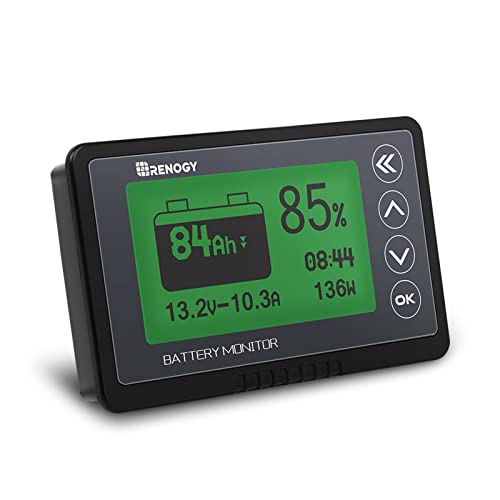
1% Accuracy Measurement: Shunt-type battery monitor design provides much more accurate real-time voltage and current draw measurement.

DETAILED IN-APP INSIGHTS: Battery monitor data is conveniently presented in the VictronConnect app on your smartphone. Instant readout enables you to see all important data at a glance, at any moment, without having to wait on Bluetooth pairing. Alarm notifications will inform you of any urgent matters.